
Tech Tips to Improve Productivity in a Home Office

Working from home has become a standard for many professionals, offering flexibility but also presenting unique challenges. Without a structured office environment, distractions can quickly reduce efficiency, and managing tasks may feel overwhelming. Fortunately, technology provides practical solutions to enhance focus, streamline workflows, and maximize output in a home setting. From smart software to ergonomic devices, there are multiple ways to optimize your workspace for both comfort and performance. Understanding how to leverage these tools can transform a home office into a productive environment. Tech tips to improve productivity in a home office cover strategies that help you manage time, organize tasks, and create a seamless workday.
Optimize Your Computer Setup
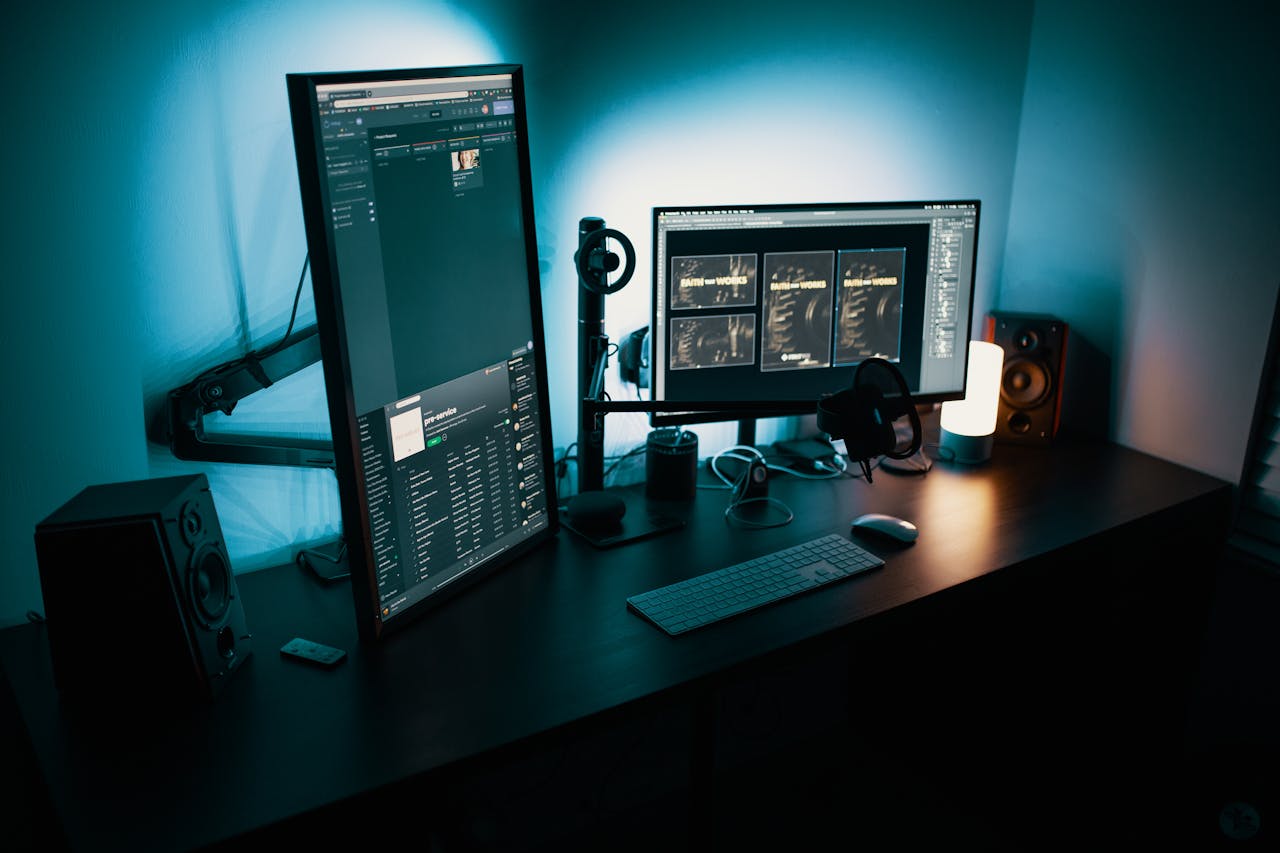
A well-configured computer system is foundational for a productive home office. Using a reliable, high-performance laptop or desktop reduces frustration caused by slow processing, crashes, or software lag. Regularly updating operating systems and applications improves performance and security. Dual monitors can significantly boost efficiency by allowing multiple documents, spreadsheets, or research materials to be visible simultaneously, minimizing time spent switching windows. Positioning your workstation ergonomically, with screen height adjusted to eye level and peripherals within easy reach, reduces physical strain that can interfere with concentration. Backing up files to cloud storage provides a safety net, preventing data loss and ensuring work continuity.
Utilize Task Management Software
Managing projects and deadlines becomes easier with digital task management tools. Applications like Trello, Asana, or Microsoft To Do allow users to prioritize tasks, assign deadlines, and track progress. These tools reduce cognitive overload by keeping responsibilities organized and accessible. Alerts and notifications help maintain accountability, while visual boards make project stages easier to understand. Integrating calendars with task management platforms allows automatic reminders and scheduling, preventing conflicts or missed deadlines. By centralizing responsibilities digitally, users spend less time searching for information or planning manually, allowing more focus on completing actual work. This system fosters structured productivity rather than reactive task handling.
Implement Focus and Time-Tracking Apps
Distractions are abundant in a home office environment, but time management software can help. Tools like Toggl, RescueTime, or Clockify track work hours and provide insights into productivity patterns. Techniques such as the Pomodoro Method can be digitally facilitated, breaking work into timed intervals with scheduled breaks to maintain concentration and prevent fatigue. Website blockers or app limiters prevent distractions from social media, streaming, or unrelated websites during working hours. Analyzing tracked time allows for adjustments in workflows, highlighting periods of peak efficiency and helping allocate tasks accordingly. This approach supports intentional work habits and encourages discipline, even without external oversight.
Leverage Communication and Collaboration Tools

Remote work requires effective communication to maintain team cohesion. Video conferencing platforms such as Zoom, Microsoft Teams, or Google Meet facilitate virtual meetings, while messaging apps like Slack or Microsoft Teams chat allow rapid information exchange. Cloud-based document sharing and collaboration platforms such as Google Workspace or OneDrive enable multiple team members to edit and access files simultaneously, reducing version control issues. Proper use of these tools allows for smoother project coordination and faster decision-making. Setting boundaries for notifications ensures essential messages are seen without constant interruptions, which helps preserve focus during deep work periods and prevents digital burnout.
Incorporate Smart Hardware and Accessories
Technology extends beyond software; hardware and accessories also impact productivity. Noise-canceling headphones reduce ambient distractions and improve concentration, especially in shared or noisy environments. Adjustable chairs, sit-stand desks, and keyboard trays prevent discomfort that can disrupt focus. High-speed routers and Wi-Fi extenders maintain stable internet connections, critical for video calls and cloud-based work. External storage drives and docking stations streamline device management and reduce workspace clutter. Integrating these physical tools with digital solutions creates a balanced setup that supports both comfort and efficiency, making the home office a conducive environment for sustained productivity.
Maximizing productivity in a home office involves a combination of thoughtful software and supportive hardware choices. Optimizing computer systems, using task management tools, and maintaining clear communication channels streamline work processes. Focus and time-tracking applications help regulate attention and evaluate performance, while ergonomic and tech-friendly accessories enhance comfort and reduce strain. When properly implemented, these strategies reduce distractions, improve efficiency, and create a more organized and enjoyable work environment. A home office equipped with practical technology solutions allows professionals to achieve consistent results while maintaining flexibility and balance in their daily work routine.